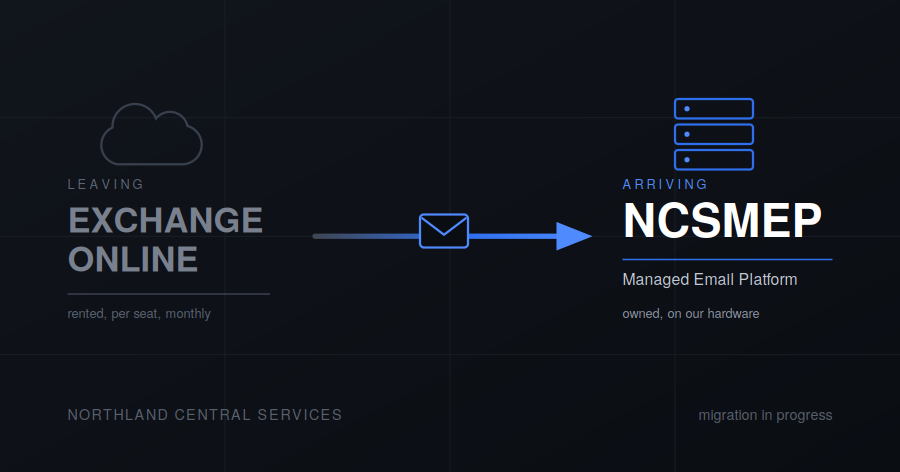
Email is moving off Microsoft 365 and onto our own hardware, running the Mailcow groupware platform. Here’s what’s changing, why, and what you need to do about it.
What’s changing
Your mailbox will live on NCSMEP, running on hardware we own. You reach it at ncsmtp.ncsmx.org and sign in with your NCSMFA credentials — the same account that gets you into everything else.
Your address was assigned when your account was created. If you’re not certain what yours is, ask rather than guessing.
The old domains haven’t gone anywhere. ncsmosiac.com and northlandcentral.org are both still attached to your account as aliases. Mail sent to any of your addresses on any of those domains lands in the same mailbox, and you can send from whichever one you want. Nobody has to update their address book, and nothing that was mailing you before will start bouncing.
Migration timeline: pilot users are being moved now, and the migration finishes by October 2026. Once a user is migrated, their Microsoft 365 licence is released and the Exchange Online mailbox is removed.
Calendars and contacts are moved case by case. Help is available if you need it — ask.
Why we left Microsoft 365
Short version: we were renting something we could own, and the terms of the rental kept changing.
Longer version, roughly in order of how much it mattered.
It was a recurring bill for every single person. Per-seat licensing is reasonable if you’re a business with revenue. It’s a strange thing to pay indefinitely so that family members can have email. The hardware to run it ourselves is already here, already powered, already being maintained for a dozen other things.
Microsoft kept moving the furniture. Features get shuffled between license tiers, interfaces get redesigned on somebody else’s schedule, and things that worked last year require a different subscription this year. None of it is catastrophic on its own. Collectively it means the service you signed up for isn’t the service you have.
“We don’t read your mail” is a policy, not a mechanism. Microsoft’s terms permit whatever Microsoft’s terms permit, they can be revised, and there is no way for you or us to verify what actually happens to mail sitting on their infrastructure. That’s not an accusation, it’s just the shape of the arrangement: you’re asked to trust, and trust is all you get. Running it ourselves doesn’t make the mail secret — email is a fundamentally leaky protocol — but it does mean the copy at rest is on a machine we control end to end.
Everything else had already moved. Files, photos, chat, passwords, desktops — all of it self-hosted and behind NCSMFA. Microsoft 365 was the last piece of the stack that answered to somebody else, and keeping it meant maintaining two identity systems, two support paths, and two sets of rules.
Getting in
In a browser, go to ncsmtp.ncsmx.org and sign in with your NCSMFA credentials. That’s the whole process. Nothing to install.
The same site is where you manage your account — security settings, and the app passwords you’ll need below.
In a mail app, you need an app password. Not your regular password. Generate one at the address above, under Settings → App passwords.
App passwords exist so that a single device can be revoked without changing the password you use everywhere. Generate a separate one per device, label them, and when a phone gets lost or replaced you revoke exactly one thing instead of resetting your life.
Setting up your devices
iPhone and iPad
A configuration profile will be pushed to your account. Install it and everything — mail and contacts — is set up for you. No settings to type, no app password to generate.
The profile is delivered to your device by our management system, or generated and sent to you another way if that doesn’t reach you. If a configuration profile ever appears unexpectedly and you weren’t told to expect it, don’t install it — ask first.
Android
Generate an IMAP app password first, then use it in whatever mail app you prefer.
We suggest FairEmail, installed from f-droid.org. It’s open source, it doesn’t route your mail through anybody else’s servers on the way to your phone, and it doesn’t need a Google account to work. The version on the Play Store is the same app with fewer sharp edges filed off.
Windows, Mac and Linux
Same app password, added to Thunderbird or Outlook as a normal IMAP account.
Thunderbird is the recommendation if you don’t already have a preference. It’s free, it’s actively developed again after a long quiet period, and it handles multiple accounts without complaint.
What’s better, and what’s worse
Worth being straight about both.
Better: no per-seat cost, no license tiers, no features disappearing into a higher plan. Your mail sits on a machine forty feet from where it’s administered. Aliases and addresses are free and instant instead of a licensing question. The same login works across every service we run.
Worse: when the server has a problem, the support department is one person who may be asleep. Microsoft has a data center and a night shift; we have a UPS and good intentions. Self-hosted mail also has to work harder to stay out of spam folders, because the large providers treat small senders with suspicion by default — if a message of yours ever lands in someone’s junk folder, that’s usually why, and it’s worth telling us so it can be chased down.
Something not working?
If mail you sent lands in someone’s spam folder, or mail you expected never showed up, say so. Delivery problems are invisible from our side unless somebody reports them, and they’re fixable — but only if we know.
Open a ticket at ncshds.northlandcentral.org, email support@ncsmx.org, or call (210) 904-8005.